Learn more about OneScan App, QR code safety, clipboard link
checking, gallery scanning, AI-powered analysis, and how the
app can help you review potentially suspicious links before
opening them.
What is OneScan App?
OneScan App is an AI-powered QR code and barcode scanner
for iPhone. It helps you scan QR codes, understand the
content behind them, and get additional information about
potentially suspicious links before you open them.
Is OneScan a safe QR code scanner?
OneScan App is designed to help users make more informed
decisions before interacting with QR code links. It can
scan QR codes and provide additional information about
their contents and potentially suspicious URLs.
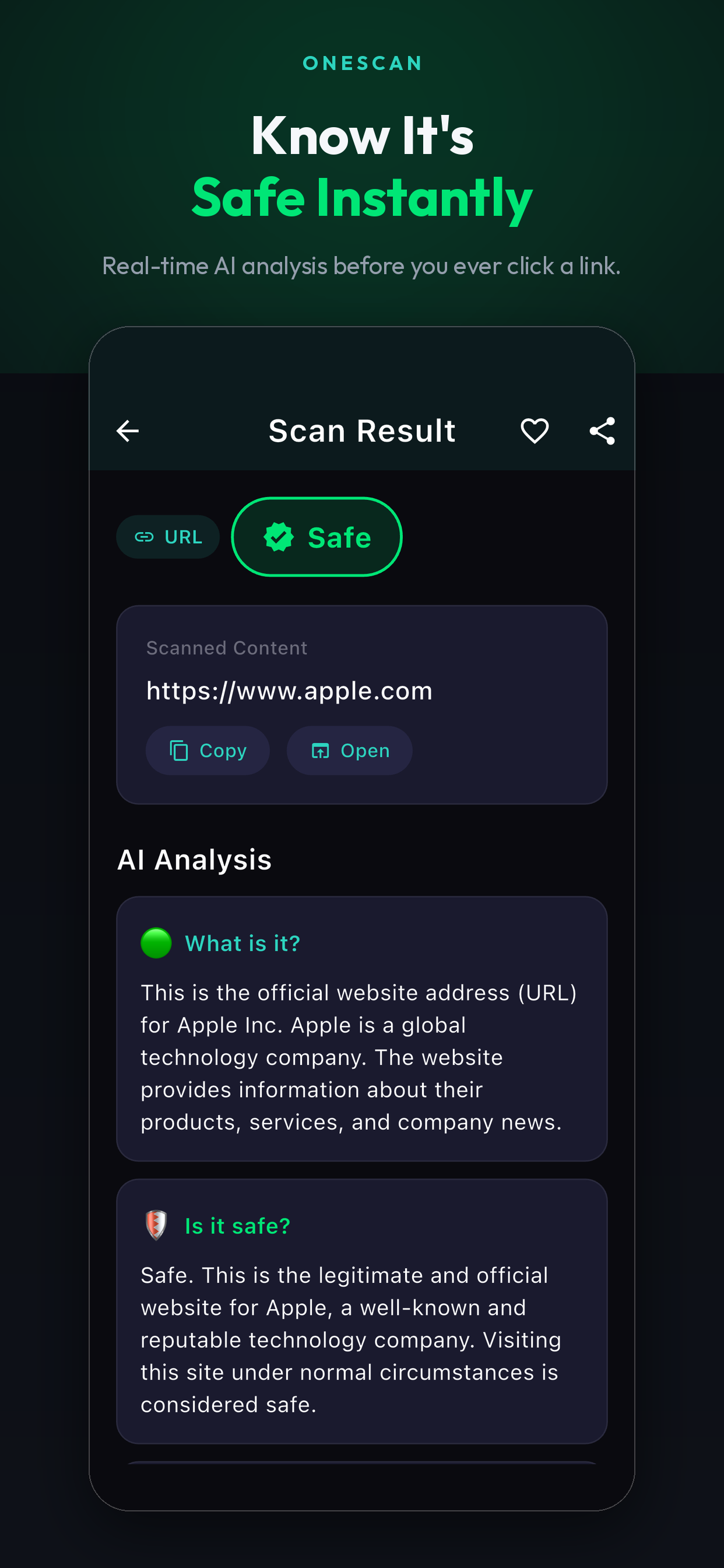
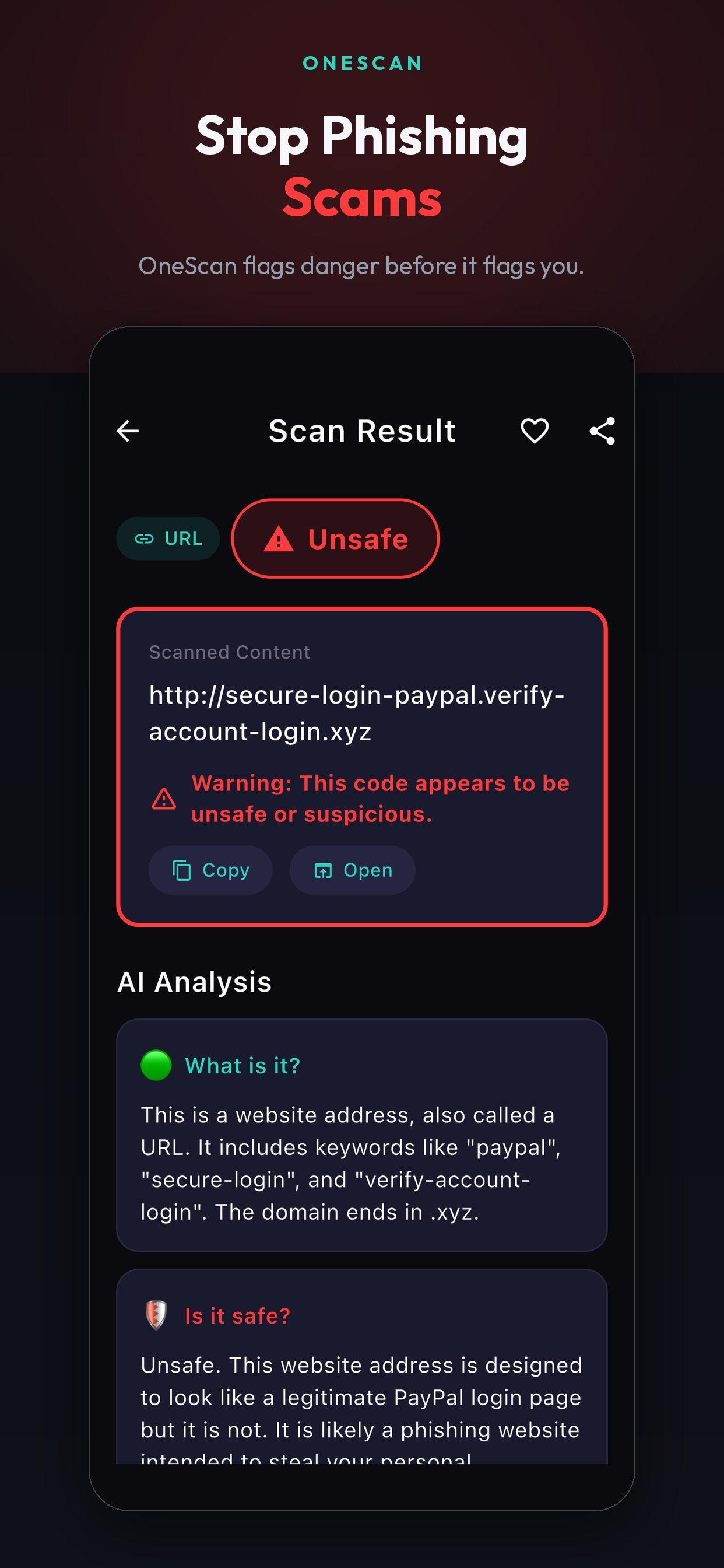
Can OneScan App check if a QR code link is suspicious?
OneScan App can analyze scanned QR code content and provide
additional information about potentially suspicious links.
The app is designed to give users more context before
opening a link. It cannot guarantee that every link is safe.
Does OneScan App use AI to analyze QR codes?
Yes. OneScan includes AI-powered analysis that can help
explain scanned content and provide useful information
about QR code results and links.
Can OneScan App scan barcodes?
Yes. OneScan App supports QR code and barcode scanning,
allowing you to quickly capture and review scanned
information.
Can OneScan check a suspicious link someone sent me?
OneScan can help you review a web link before opening it.
If someone sends you a link through a message, email, or
social media, you can copy the link and use the clipboard
checking feature to review its content and receive
additional information about potentially suspicious links.
OneScan is designed to provide helpful context, but it
cannot guarantee that every link is safe.
How does OneScan's clipboard link checker work?
Copy a web link to your iPhone clipboard and use OneScan's
clipboard checking feature to review it before opening the
website. This can be useful for links received through
messages, emails, social media, or other apps. OneScan App
provides additional information to help you make a more
informed decision about the link.
Can I check a link before opening it from a message?
Yes. You can copy a web link from a message, email, or
social media post and use OneScan App to review it before
opening the link. This provides an additional step for
understanding a potentially suspicious web destination.
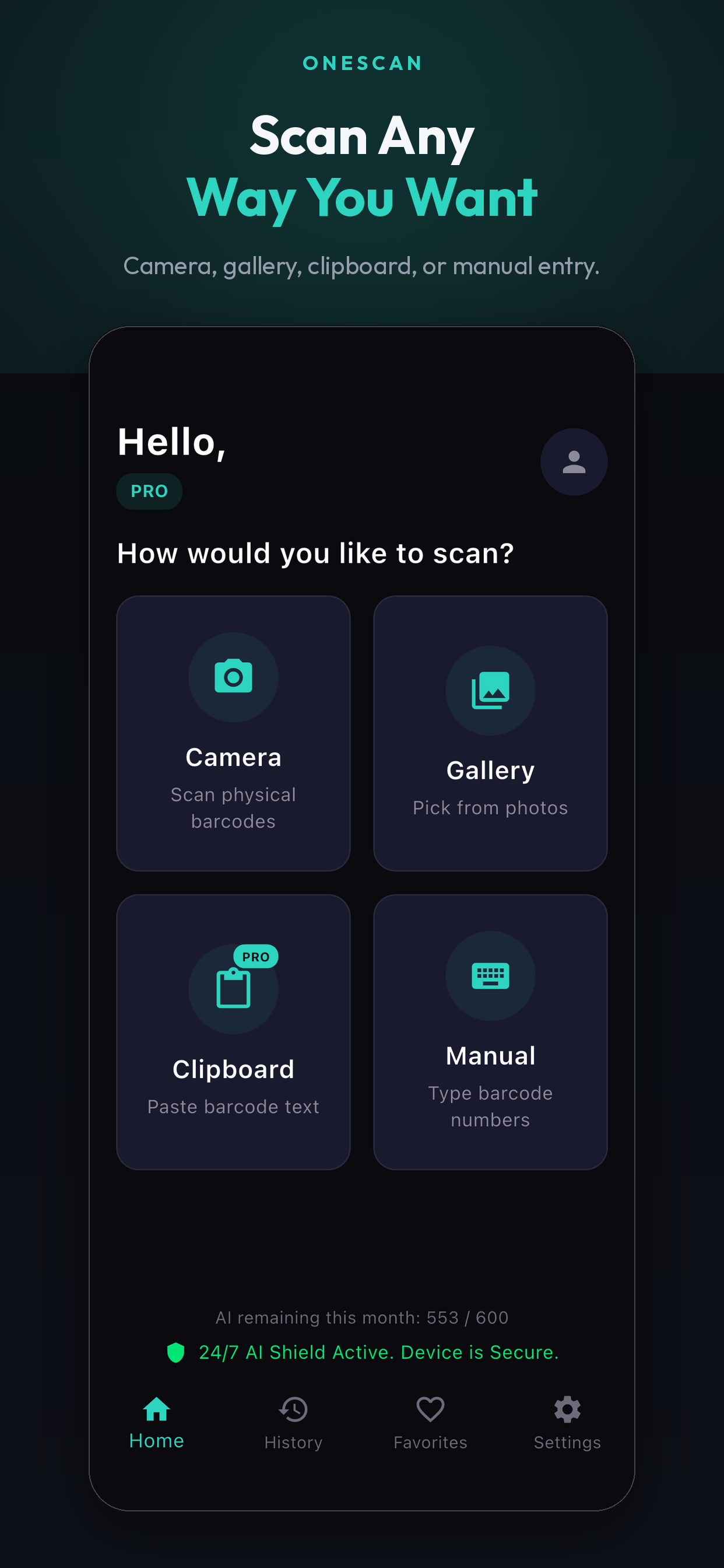
Can OneScan App scan QR codes and barcodes from my photo gallery?
Yes. OneScan allows you to select an image from your
iPhone photo gallery and scan QR codes or barcodes
contained in the image. This is useful when you already
have a screenshot, saved photo, or downloaded image
containing a QR code or barcode.
Do I need to use my camera to scan a QR code with OneScan App?
No. In addition to camera-based scanning, OneScan App
supports selecting an image from your photo gallery to
review QR codes and barcodes that are already saved on
your iPhone.
Does OneScan App work on iPhone?
Yes. OneScan App is available for iPhone through the
Apple App Store.
Is OneScan App free to use?
OneScan App is available as a free app with optional
premium plans. Premium plans provide an ad-free
OneScan experience.
Where can I download OneScan App?
OneScan App is available on the Apple App Store. You can
download the app directly from the official OneScan
website or through the App Store.